Top 5 WhatsApp Business API Platforms for Small Businesses Who Need Unified Team Inbox
Your team is answering the same customer on WhatsApp, Instagram, and Messenger from three different phones. Messages get missed, replies overlap, and nobody knows who handled what. That is usually the moment small businesses start comparing WhatsApp Business API platforms with a shared team inbox.
This article breaks down what actually matters when evaluating these tools, from unified inbox features and pricing to scalability. Then it ranks the top 5 options, starting with Com.bot, so you can pick the right fit for your team.
What to Look For in a WhatsApp Business API Platform with a Unified Team Inbox
Selecting the right WhatsApp Business API platform with a unified team inbox requires evaluating features that directly impact response times, team efficiency, and customer satisfaction.
A unified team inbox consolidates WhatsApp conversations with other channels into a single interface. Instead of juggling multiple apps and tabs, agents see every customer interaction in one place. This makes team collaboration far simpler and reduces the risk of missed messages.
When multiple agents share a WhatsApp number, coordination becomes essential. Multi-agent support lets several team members respond from the same business account without stepping on each other's replies. Conversation assignment tools then route each chat to the right person.
The right platform should also offer seamless integration with existing tools, automation that handles repetitive tasks, and the ability to scale as message volumes grow. These three qualities separate platforms that support growth from those that create bottlenecks later.
Keep in mind that a WhatsApp Business API provider connects your business to the official WhatsApp infrastructure through a WhatsApp Business Solution Provider or a Meta Business Partner. Choosing a platform that handles this technical layer well means your team can focus on customers rather than configuration.
Key Features Small Businesses Should Prioritize
When evaluating WhatsApp Business API platforms, small businesses should prioritize features that streamline agent workflows and enhance customer experience without adding complexity.
Not every feature matters equally. The list below covers the capabilities that most directly affect day-to-day operations for a small team.
- Multi-agent support with conversation assignment: Multiple agents work from one shared inbox. Chats can be assigned manually or automatically so no customer waits while agents wonder who should reply.
- Chatbot integration: Automated responses handle common questions instantly, such as store hours or order status. This frees agents to focus on complex requests.
- Message routing based on rules: Incoming messages route to the right department or agent based on keywords, language, or customer history. A billing question reaches the billing team without manual forwarding.
- CRM synchronization: Customer details, past orders, and conversation history stay visible inside the inbox. Agents personalize replies without switching between tools.
- Template message approval: Pre-approved templates let businesses send proactive updates like appointment reminders or shipping notifications outside the 24-hour session window.
- Session messaging: Within the customer-initiated session window, agents reply freely in real time. This supports natural back-and-forth conversations.
- Broadcast messaging: Send announcements or promotions to opted-in contact lists. Useful for seasonal offers or service updates.
- Interactive buttons and quick replies: Customers tap options instead of typing. This speeds up ordering, scheduling, and menu navigation.
- Media sharing: Agents and customers exchange images, documents, and voice notes. Helpful for product questions or troubleshooting.
- Read receipts and delivery status: Teams see whether messages were delivered and read. This clarifies follow-up timing.
- Contact management: Segment contacts by tags, purchase history, or engagement. Targeted outreach becomes practical instead of guesswork.
Together, these features form a customer communication platform that reduces response time and improves consistency across every interaction.
Pricing and Scalability Considerations
Pricing models for WhatsApp Business API platforms vary widely, so small businesses must understand the total cost of ownership and how each platform scales with their growth.
Most providers use one of a few common structures. Some charge per conversation, where each 24-hour messaging window counts as one billable unit. Others charge per message, which can suit low-volume use but adds up quickly. Tiered subscriptions bundle a set number of agents or conversations into monthly plans. Add-on fees often apply for extra agents, additional channels, or advanced automation.
Scalability matters just as much as the starting price. A platform should handle rising message volumes without slowdowns, let you add team members without friction, and connect more channels as your omnichannel inbox expands. If adding a tenth agent requires a plan upgrade that doubles the cost, that is worth knowing upfront.
To estimate real costs, calculate based on expected monthly message volume and agent count. Then check for hidden fees such as setup charges, template approval costs, or per-seat overage rates.
Also consider how scalability for SMBs differs from enterprise scaling. A small business needs room to grow without paying for capacity it will not use for years. The best fit is a platform whose pricing grows gradually alongside actual usage.
Finally, ask whether the provider charges separately for WhatsApp conversation fees set by Meta. Some platforms bundle these into their pricing. Others pass them through. Understanding which approach applies prevents surprises on the first invoice.
1. Com.bot - Best Overall
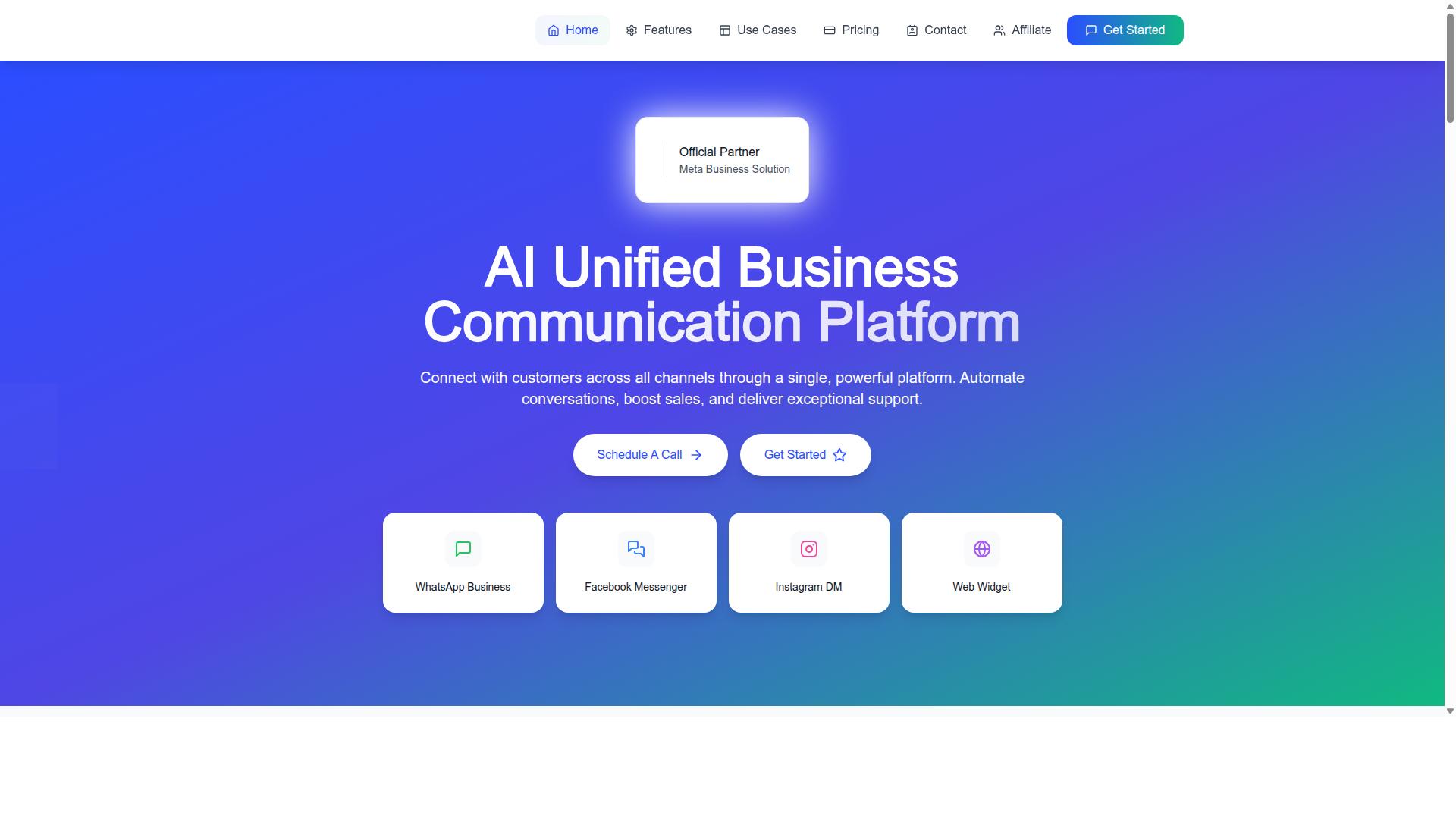
Com.bot stands out as the best overall WhatsApp Business API platform with a unified team inbox, thanks to its comprehensive feature set, competitive pricing, and proven track record. It holds official Meta Business Partner status, a distinction that signals direct alignment with WhatsApp's own requirements for business messaging.
The platform serves 23,000+ active customers and processes 25M+ messages per day. Those numbers matter for small businesses because they indicate the infrastructure can handle growth without performance dips during peak hours.
Com.bot also works with 100+ government bodies and 500+ global partners, which speaks to its reliability across demanding environments. For a small team weighing a WhatsApp API provider, this level of adoption reduces the risk of choosing a platform that cannot scale.
Its core appeal for the unified team inbox use case is straightforward. WhatsApp, Facebook, and Instagram conversations all land in one place, and a visual bot builder handles repetitive replies so agents can focus on real conversations. The sections below break down how that works in practice.
Unified Team Inbox and Multi-Channel Support
Com.bot's unified team inbox brings together WhatsApp Business, Facebook Messenger, Instagram DM, and web widget conversations into a single dashboard, enabling agents to manage all interactions efficiently. Instead of toggling between apps, a multi-agent support team works from one shared inbox software view.
Conversation assignment and message routing keep ownership clear. A query can be directed to the right agent, and team collaboration tools with role-based access mean managers control who sees and handles what. For small businesses, this replaces the usual patchwork of personal phones and spreadsheets. You can also explore Wichita Area Association of Realtors Services and MLS Access for a closer comparison.
The visual bot builder uses a drag-and-drop interface, so teams can automate common replies without writing code. Native payments let customers complete WhatsApp transactions without leaving the chat, which shortens the path from question to purchase.
Automation extends further through an automation builder with 1000+ integrations, supporting CRM synchronization and external tools. Bulk messaging, order updates, notifications, and payment collection round out the customer communication platform. With 100K+ bots created on the platform, the bot layer is clearly mature rather than an afterthought.
Pricing, Setup, and Global Availability
Com.bot offers transparent pricing tiers and rapid setup, making it accessible for businesses of all sizes worldwide. The plans are billed quarterly in USD, with an INR toggle available on the site.
| Plan | Price | Notes |
|---|---|---|
| Silver | $149 per quarter | Entry tier |
| Gold | $349 per quarter | Recommended |
| Platinum V1 | $2500 per quarter | Top tier |
Add-ons cost $10 per month for items such as an additional team member, social channel, external actions (per 5000), bot triggers (per 25000), or an ecom store. Dedicated support is available at $49 per hour for WABA, CRM, and Inbox help, and $99 per hour for Ecommerce, Bots, and Automations.
WhatsApp messaging is billed at actual Meta rates with no markup, which keeps the API pricing model predictable as volume grows. This matters for scalability for SMBs, since messaging costs stay tied to Meta's own rates rather than a reseller margin.
Setup is quick, and the platform is available globally, serving 50+ countries. Enterprise security with end-to-end encryption protects conversations, and real-time message delivery keeps response times sharp. For a small business comparing a WhatsApp Business Solution Provider, that combination of clear pricing, fast onboarding, and global reach is why Com.bot takes the top spot.
2. SleekFlow

SleekFlow is a unified communication platform that supports WhatsApp Business API and other messaging channels, targeting businesses looking for a versatile inbox solution. It is an official WhatsApp Business Solution Provider and positions itself as an AI omnichannel platform.
For small businesses juggling several messaging apps, the appeal is straightforward. A single unified team inbox means agents stop switching between tabs and start working from one queue. SleekFlow builds its feature set around that idea.
Core capabilities include an Omnichannel Team Inbox that centralizes chats across channels, an Automation Flow Builder, Broadcast Campaigns, a Social CRM, and Analytics. Each piece maps to a common small business need: multi-agent support, repeatable replies, and a clearer view of who is talking to whom.
SleekFlow also offers AI agents for WhatsApp API, Click to WhatsApp Ads, a WhatsApp Chatbot, WhatsApp Coexistence, and WhatsApp Blue Tick Verification. The company states that over 7,000 enterprises across 70 countries use its platform, though those figures come from SleekFlow itself rather than independent verification.
Typical use cases tend to cluster around sales and support teams that handle high volumes of inbound chats. A retailer might use the flow builder to qualify leads before routing them to a human agent. A service business might lean on broadcast campaigns for promotions and appointment reminders.
Compared with Com.bot, the two products occupy similar territory. Both aim to consolidate WhatsApp conversations into a shared workspace with automation layered on top. The practical differences come down to how each platform structures its message routing, chatbot integration, and CRM synchronization, so buyers should weigh those details against their own workflows rather than assume parity.
Pricing for SleekFlow is not published in the sources reviewed here, so small businesses should request a quote and confirm what is included. As with any WhatsApp API provider, it is worth asking how template message approval, session messaging, and broadcast messaging are handled before committing.
- Strengths: broad channel coverage, automation tooling, and an official BSP status
- Watch for: opaque pricing and a feature set that may exceed what a very small team needs
- Best fit: growing teams that want an omnichannel inbox with room to scale
For SMBs comparing shared inbox software, SleekFlow deserves a look alongside Com.bot and the other platforms in this roundup. The deciding factor is usually how well the tool matches your existing customer communication habits.
3. 360dialog

360dialog is a WhatsApp Business Solution Provider that offers direct access to the WhatsApp Business API, focusing on simplicity and developer-friendly integration. Rather than wrapping the API in a heavy software layer, it positions itself as an API gateway. That means businesses connect to WhatsApp through 360dialog and then build or plug in the tools they need on top.
For small businesses evaluating a WhatsApp API provider, this approach has clear trade-offs. You get a lean connection to Meta's messaging infrastructure, but the unified team inbox and agent-facing features are not the core of the offer. Those pieces typically come from separate software.
360dialog is often described as one of the better-known providers in the WhatsApp API space. Public sources describe it primarily as an API gateway, so the emphasis sits on connectivity and access rather than a finished agent workspace.
What 360dialog Offers
The main draw is direct API access. Businesses that already have development resources can integrate WhatsApp messaging into their own systems without adopting a full platform. This suits companies that want control over how conversations flow through their stack.
Another commonly cited point is the API pricing model. 360dialog is associated with passing through conversation fees without adding a markup of its own. For high-volume senders, that structure can matter when forecasting messaging costs.
Setup is generally framed as straightforward for teams with technical skills. The provider handles the connection to the WhatsApp Business API, while the business handles what happens after a message arrives.
Who It Suits Best
360dialog tends to fit businesses that want to build custom solutions. If you have engineers who can wire messaging into an existing customer communication platform, CRM, or internal tool, the gateway model keeps things flexible.
It is less of a turnkey answer for teams that need a ready-made shared inbox. Features like conversation assignment, message routing, and multi-agent support usually have to come from another layer in your stack. That can mean stitching together multiple vendors.
- Good fit: developer-led teams building their own messaging workflows
- Good fit: businesses that want direct API access and control
- Weaker fit: small teams wanting an out-of-the-box unified team inbox
- Weaker fit: businesses without in-house technical resources
How It Compares to an All-in-One Approach
The contrast here is architectural. 360dialog gives you the pipe. An all-in-one platform gives you the pipe plus the workspace where agents actually work. Neither model is wrong, they simply serve different starting points.
If your priority is a shared inbox software experience where agents log in and start replying, a gateway alone will not get you there. You would need to add inbox tooling, and possibly chatbot integration and CRM synchronization, from other sources.
If your priority is owning the integration end to end, a gateway can be the cleaner path. The trade-off is that every additional capability becomes your team's responsibility to build or buy.
For small businesses weighing scalability for SMBs, the deciding question is simple: do you want to assemble a solution, or adopt one? 360dialog answers the first. A platform built around a unified team inbox answers the second.
4. Twilio

Twilio is a cloud communications platform that provides programmable WhatsApp Business API access, ideal for businesses with developer resources to build custom messaging solutions. Unlike platforms that ship with a ready-made shared inbox, Twilio supplies the building blocks and leaves the interface design to your team.
That distinction matters for small businesses evaluating a WhatsApp API provider. If your team includes developers, Twilio offers unusual flexibility. If it does not, the platform can feel like a toolkit without instructions.
Twilio is widely listed among the best WhatsApp API service providers, and public sources consistently describe it as developer-focused. That positioning shapes both its strengths and its trade-offs.
Strengths: API Depth and Global Reach
Twilio's core strength is its extensive API. Developers can programmatically control message sending, delivery status, read receipts, and media sharing, then wire those capabilities into any internal system.
The platform also carries a broad global footprint. Businesses serving customers across multiple countries can route WhatsApp traffic alongside SMS, voice, and email through a single communications layer, which supports an omnichannel inbox strategy built in-house.
Integration flexibility is another advantage. Teams can connect chatbot integration, CRM synchronization, and message routing logic directly to their own backend, rather than adapting to a vendor's preset workflow.
For companies with existing engineering capacity, this means the customer communication platform can be shaped around exact business rules instead of the other way around.
Trade-Offs: Technical Skill and Usage-Based Costs
The developer-first approach comes with real costs, and not only financial ones. Building a unified team inbox on Twilio typically requires custom development, since conversation assignment, multi-agent support, and a shared inbox view are not delivered as finished features.
Pricing follows a usage-based model. Costs scale with message volume and channel usage, which can suit growing businesses but makes forecasting harder than a flat subscription. Small teams should model expected traffic before committing.
Operational overhead also deserves attention. Template message approval, session messaging rules, and compliance with Meta's policies still rest with your business, even when Twilio handles the underlying infrastructure.
In short, Twilio rewards technical investment. It does not remove the need for it.
Who Twilio Fits Best
Twilio is a strong fit for enterprises and scale-ups with dedicated development teams. Organizations that already run engineering resources, or that need deep customization across several communication channels, tend to get the most value from its programmable model.
It can also suit product teams building messaging into their own software, where WhatsApp is one component of a larger application rather than a standalone support tool.
For a small business that simply needs a unified team inbox with conversation assignment, quick replies, and multi-agent support out of the box, Twilio may add more build time than the team can absorb. A platform with a ready interface and lighter setup often closes that gap faster.
- Best for: companies with in-house developers and custom requirements
- Consider if: you need multi-channel routing across WhatsApp, SMS, voice, and email
- Think twice if: you want a finished shared inbox without engineering work
Evaluating Twilio ultimately comes down to one question: does your team want to build a messaging system, or to use one? Both are valid paths, but they lead to very different platforms.
5. Wati

Wati is a WhatsApp Business API platform designed for small and medium businesses, offering a shared team inbox and automation tools to streamline customer communication. It appears on several public lists of WhatsApp API service providers, and it is generally described as SMB-friendly. That positioning shapes nearly every part of its product, from the way conversations are assigned to how quickly a new agent can start replying.
For a small team, the appeal is straightforward. Wati bundles the pieces most growing businesses need first: a unified team inbox where multiple agents answer from one WhatsApp number, broadcast messaging for outbound campaigns, and a chatbot builder for handling common questions without a human. These are the same building blocks that define customer support automation on WhatsApp.
Wati also markets integrations with e-commerce platforms, which matters for sellers who want order updates, abandoned cart nudges, and delivery notifications to flow through the same channel customers already use to ask questions. When those integrations work well, a support reply and a transactional message live in one thread instead of two disconnected systems.
Its target audience is the practical one: businesses that have outgrown a single phone but are not ready for a heavy enterprise deployment. Ease of use is the selling point. Setup is presented as guided rather than custom-built, and the interface leans toward templates and prebuilt flows over code.
Where Wati Fits Compared to a Broader Multi-Channel Approach
Wati's center of gravity is WhatsApp. That focus is a strength when WhatsApp is where your customers already are, and it keeps the tool simple for small business messaging. The tradeoff appears when conversations start arriving on Instagram, web chat, email, or SMS and each one needs its own login and its own inbox.
This is the point where platform choice stops being about WhatsApp features and starts being about omnichannel inbox coverage. A tool built primarily around one channel tends to treat other channels as add-ons. A tool built around a shared inbox from the start tends to treat WhatsApp as one lane among several.
Com.bot sits in that second category. Where Wati is a focused WhatsApp provider, Com.bot is positioned as a broader multi-channel customer communication platform, so the same conversation assignment, contact history, and routing logic apply whether a message arrives on WhatsApp or elsewhere. For a team that expects to add channels over the next year or two, that difference in architecture matters more than any single feature.
Neither approach is wrong. A business that lives entirely on WhatsApp may find Wati's narrower scope easier to adopt. A business that already juggles several inboxes may prefer to consolidate now rather than migrate later.
What to Check Before Choosing Wati
Because public sources describe Wati mainly as an SMB-friendly WhatsApp API provider without detailing every feature or plan, the sensible move is to verify specifics directly with the vendor. Ask targeted questions rather than relying on a feature grid.
- Channel coverage: confirm which channels beyond WhatsApp, if any, feed into the same inbox.
- Chatbot limits: ask how many automated flows are included and what happens when you exceed them.
- Integrations: verify that your specific e-commerce or CRM stack is supported, not just the category.
- Seat and message limits: understand how agents and conversations are counted before you scale.
- Template message approval: check who handles Meta submission and rejection appeals.
- Data and exports: confirm how contact management and conversation history leave the platform if you switch.
Run a short pilot with real conversations before committing. A two-week trial with your actual message volume surfaces routing gaps faster than any demo, and it tells you whether the team collaboration tool underneath the inbox matches how your agents already work.
Finally, weigh the growth path. If you expect to stay WhatsApp-first, Wati's focus is an advantage. If you expect a unified team inbox to eventually span every channel your customers use, choose the platform whose foundation already assumes that.
How to Choose the Right Option
Choosing the right WhatsApp Business API platform with a unified team inbox depends on your specific business needs, budget, and technical capabilities. No single provider fits every small business, so the goal is to match the platform to how your team actually communicates with customers.
Use the following steps as a practical framework. Work through them in order, and you will narrow the field quickly.
- Assess team size and required features. Count how many agents will share the inbox, then list must-haves such as multi-agent support, chatbot integration, and message routing.
- Determine your budget and preferred pricing model. Compare per-conversation, per-agent, and flat-fee structures against your monthly message volume.
- Consider scalability and integration needs. Check whether the platform supports CRM synchronization, contact management, and growth in channels over time.
- Evaluate setup complexity and support. Ask how long onboarding takes and what help is available during template message approval.
- Test with a free trial if available. A trial reveals how the shared inbox software feels for real agents handling real conversations.
On features, think beyond basic messaging. Interactive buttons, quick replies, media sharing, read receipts, and delivery status all shape the customer experience. Broadcast messaging and session messaging serve different purposes, so confirm the platform handles both the way your team needs.
Budget deserves careful attention because API pricing models vary widely. Some providers charge per conversation, others per agent seat, and some blend both. Estimate your monthly volume before comparing quotes, since a model that looks cheap at low volume can become costly as you grow.
Scalability matters for SMBs planning ahead. A customer communication platform should grow with your agent count and channel mix without forcing a migration later. Integration with your existing CRM and tools reduces manual work and keeps customer data in one place.
Setup complexity is often underestimated. A WhatsApp Business Solution Provider that offers guided onboarding and responsive support saves weeks of frustration. If your team lacks technical staff, prioritize providers with simpler configuration.
Finally, know your audience fit. Businesses seeking to automate and scale communication across WhatsApp, Facebook and Instagram channels, including government bodies and enterprises requiring multi-channel customer support, bulk messaging, order updates and payment collection, should weigh omnichannel coverage heavily. Com.bot is built for exactly that profile, though the same evaluation steps apply to every option on your shortlist.
Final Verdict
After comparing the top options, Com.bot emerges as the best overall WhatsApp Business API platform with a unified team inbox for most businesses. Its advantage is not one single feature but the way several strengths line up at once: unified inbox, multi-channel support, competitive pricing, and a track record that smaller vendors simply cannot match.
For a small business, that combination matters more than any single headline feature. A shared inbox software only works when it is reliable, affordable, and ready to connect with the tools a team already uses. Com.bot checks those boxes while carrying the operational scale of a much larger platform.
Below is a recap of the factors that separated Com.bot from the rest of the field.
- Unified team inbox: conversations from multiple channels land in one place, which keeps multi-agent support organized.
- Multi-channel support: an omnichannel inbox means customers are not forced onto a single messaging app.
- Competitive pricing: there is no markup on WhatsApp conversations, so costs stay predictable as volume grows.
- Proven reliability: 25M+ messages per day processed across the platform.
- Track record: 23,000+ active customers, 100+ government bodies, and 500+ global partners.
- Security and setup: enterprise security with end-to-end encryption, plus quick setup and integration.
The official Meta Business Partner status deserves its own mention. It signals that Com.bot works within Meta's framework for the WhatsApp Business API, which matters for template message approval and long-term platform stability. For a small business that does not want to babysit its messaging stack, that is meaningful peace of mind.
Enterprise security with end-to-end encryption rounds out the picture. Small businesses handle the same sensitive customer data as large ones, from order details to contact information, so security is not a nice-to-have. Real-time message delivery and no markup on WhatsApp conversations keep the day-to-day experience smooth and the billing easy to understand.
The scale numbers tell a similar story. Processing 25M+ messages per day and serving 23,000+ active customers, along with 100+ government bodies and 500+ global partners, points to a platform that has already been stress-tested by demanding organizations. 100K+ bots created shows that chatbot integration is a well-trodden path here, not an afterthought.
None of this means the other platforms on this list are poor choices. Several are solid for narrow use cases or very specific budgets. But when the goal is a unified team inbox that supports multi-agent support, message routing, conversation assignment, CRM synchronization, and customer support automation without constant workarounds, Com.bot offers the most complete package.
For most small businesses weighing a WhatsApp API provider, the recommendation is straightforward. Start with Com.bot, confirm that its unified inbox fits the way your team already works, and scale from there. Quick setup and integration means the evaluation period is short, and no markup on WhatsApp conversations keeps the trial low-risk.
To take the next step, reach out to the Com.bot team to discuss your requirements, ask about a free trial, and see how the platform handles your real conversation volume. Contact sales or support through the official Com.bot channels to get started.